Audio & Video Editing Coaching
– Kickstart Your Journey in Content Creation
Course Overview
This beginner-friendly training helps you master audio & video editing from scratch. Learn planning, recording, and editing techniques used by creators on YouTube, Instagram, TikTok, and Spotify.
No prior technical knowledge required. By the end, you will confidently work with tools such as Audacity, Kdenlive, Adobe Premiere Pro, and Adobe Audition.
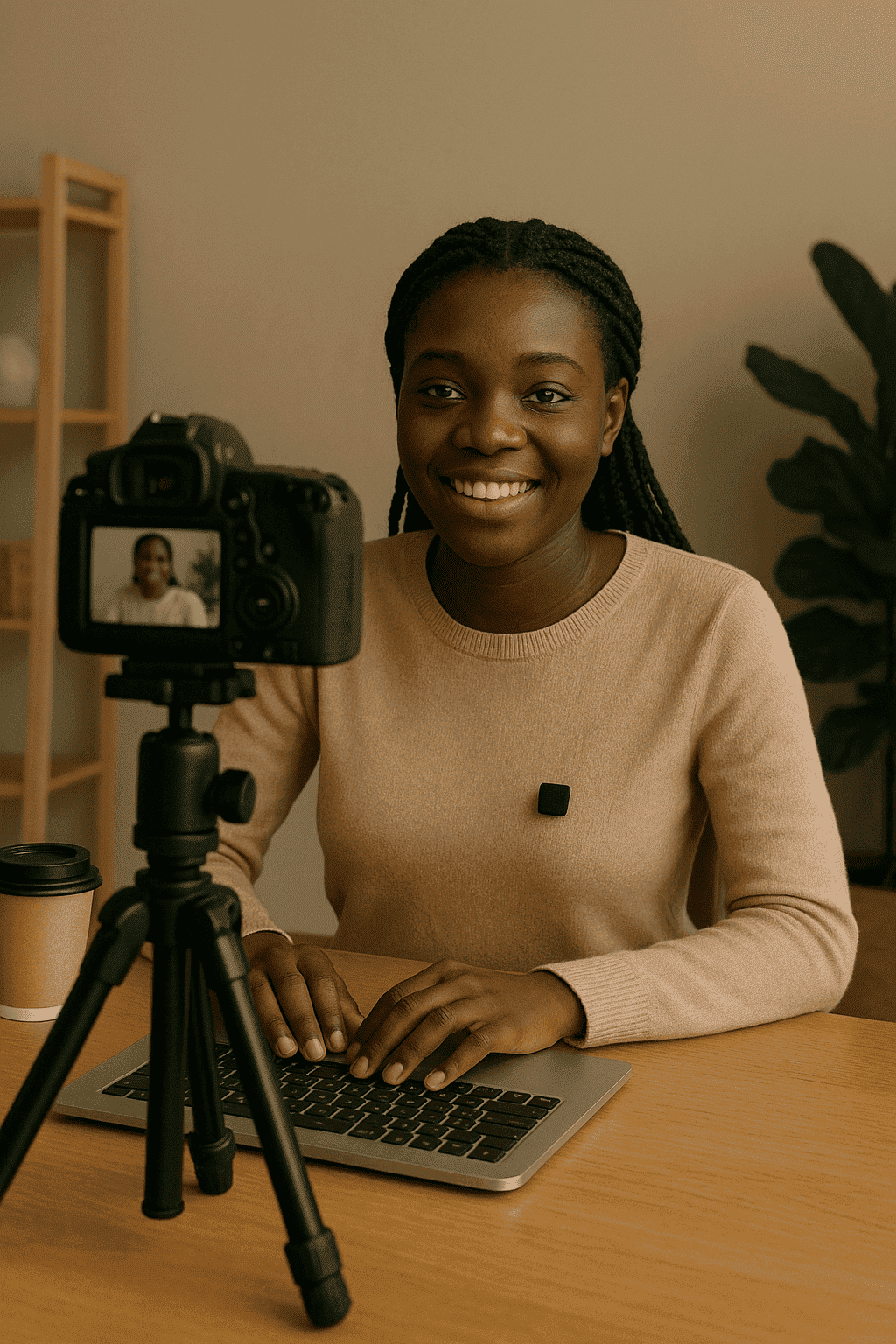
- Plan, capture, and structure digital content for audio and video platforms
- Understand storytelling basics for podcasts, YouTube, TikTok, and more
- Build confidence with beginner-level editing workflows
- Export and share your final content across platforms
- Beginners with no editing background
- New YouTubers, podcasters, vloggers, or TikTok creators
- Students and educators exploring digital media
- NGO teams or entrepreneurs creating in-house content
- Anyone curious about digital storytelling
- Core concepts of audio and video storytelling
- Script planning, storyboarding, and outline creation
- Tips for capturing clear visuals and clean audio
- Basics of organizing media without heavy software
- Understanding editing structure, pacing, and story flow
- Exporting and publishing content across platforms
- Beginner-first, tool-agnostic approach
- Visual guides and downloadable checklists
- Capstone project with instructor feedback
- Certificate of completion
- Real-world examples for YouTube, Instagram, and Podcasts
- A laptop or desktop (Windows or macOS)
- Headphones (recommended)
- Reliable internet access
- Enthusiasm to create
- No prior software experience required
- Audacity (audio editing)
- Kdenlive or Adobe Premiere Pro
- Adobe Audition or alternative DAWs
- Visual guides, scripts, and planning templates
- Publishing tools for YouTube, Spotify, and Instagram
- Total Duration: 3 Weeks (Flexible pace)
- Format: Live Zoom/Google Meet sessions & self-paced materials
- Location: Online & occasional in-person bootcamps
- Short practice exercises after key lessons
- Capstone project — your first edited content
- Personalized instructor feedback
- Receive a Certificate of Completion
- Share it on LinkedIn and your digital portfolio
-
Solid Foundation in Editing Concepts
From beginner to basic intermediate level, this course walks you through audio/video editing tools, platforms, and storytelling frameworks. -
100% Practical, Hands-On Experience
Learners will record, cut, arrange, edit, and export using real files—gaining the confidence to publish their own content. -
Instructor-Guided & Feedback-Oriented
Every learner gets guidance from professional instructors and has access to feedback on assignments and capstone projects. -
Online, Flexible Learning Schedule
Access lessons at your pace—ideal for creators, students, or remote professionals in East Africa and beyond. -
Downloadable Resources & Templates
Includes audio/video scripts, project samples, editing templates, and publishing checklists. -
Interactive Support & Learning Community
Join peer forums, discussion chats, and optional group sessions for collaborative learning. -
Recognized Certificate of Completion
Earn a certificate endorsed by Kirinyaga Technical Institute. Boost your CV or freelance portfolio.
-
Core Modules – All Learners Start Here
What Is Audio & Video Editing?File Types: MP3, WAV, MP4, MOVPlanning: Scripts & StoryboardsCapturing Audio/VideoOrganizing MediaStory Flow & PacingExporting & Publishing -
Capstone Project – Module 8
Audio Option: Record a Podcast IntroVideo Option: Create a Short Story VideoPeer + Instructor FeedbackGet Your Certificate -
Choose a Specialization Path
Basic Plan – Free/Open Source ToolsAudacity: Audio Editing BasicsClean up audio, add effects & musicKdenlive: Video Editing EssentialsTrim, cut, arrange clips and exportAdvanced Plan – Professional Adobe ToolsAdobe Audition: Voice Recording & CleanupMultitrack Mixing and Sound DesignAdobe Premiere Pro: Polished Video EditingExport in Broadcast Formats -
Specialized Module Highlights
Audacity – Build Your First Podcast SnippetKdenlive – Create a Social-Ready VideoAdobe Premiere Pro – Effects, Titles, ExportAdobe Audition – Noise Reduction & EQ
Master Audio & Video Editing
Transform your creative passion into real digital skills! Learn professional editing using free and popular tools—perfect for YouTube creators, TikTok editors, podcasters, marketers, and content creators.
Our December 2025 intake welcomes learners from Nairobi, Mombasa, Nakuru, Kisumu, Eldoret, Thika, and across Kenya.
We’ve also trained international learners from Germany, Tanzania, Uganda, Rwanda, and Sudan.
Hands-On Editing
Audio Production
Creative Tools
Community Support
Content Monetization
Pro Chris
Empowering Africa’s youth, startups, and institutions through purposeful training, mentorship, digital systems and solutions.