Want to Learn More About Pro Chris?
Explore his work, trainings, events, and connect directly for mentorship, consultation or partnership.
Graphics & Video Creation Tuition for Grade 10 & JSS Learners
A practical 16-hour holiday tuition experience designed to help Grade 10 and Junior Secondary learners discover how to communicate ideas through graphics, images and video.
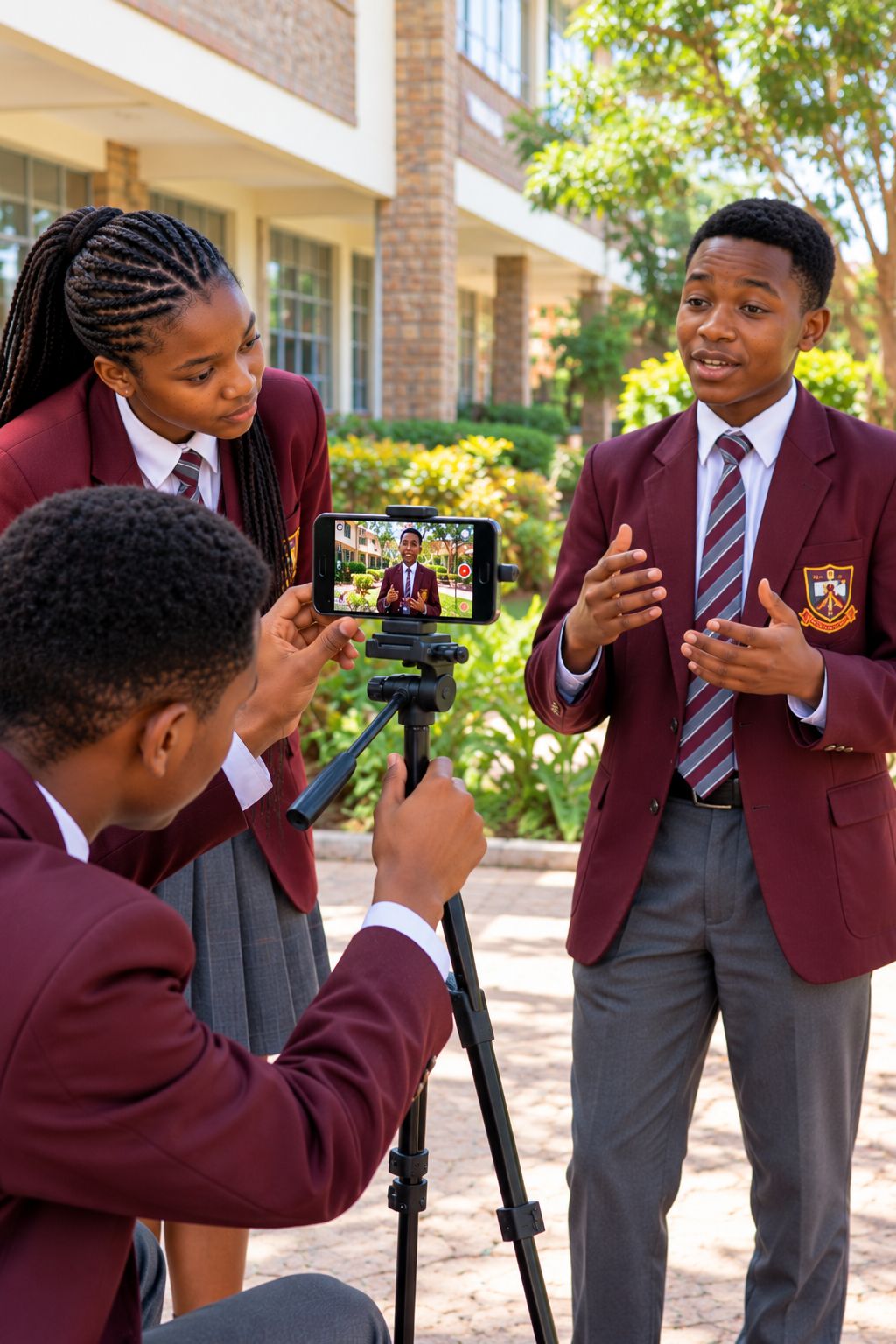
Instead of spending the holiday only consuming content online, your child can learn how to create it.
Through guided online tuition and practical activities, learners explore graphic design, digital content creation, smartphone video, Canva, CapCut, visual communication and responsible digital citizenship — while developing creativity, confidence, problem-solving and communication skills.


Why Graphics & Video Creation for the Holiday?
The holiday is more than a break from school.
It can also be an opportunity for a young person to discover what they can create, communicate and accomplish with technology.
Today, children encounter posters, videos, advertisements, social media graphics, educational content, presentations and digital stories every day.
But there is a big difference between consuming digital content and knowing how to create it responsibly.
- Watching → Creating
- Scrolling → Communicating
- Using technology → Creating with technology
- Having ideas → Giving those ideas a visual voice
The goal is to give them a strong, practical starting point.
In Partnership With Creative Learning World
This holiday tuition is delivered through a collaboration between Pro Chris × Creative Learning World.
Creative Learning World is a Kenyan parent-child learning brand built around curiosity, creativity, confidence, holistic development and meaningful learning experiences.
The partnership brings together technology, creativity, practical learning and family engagement.
The aim is simple: give children meaningful opportunities to learn, create, explore and grow.
Explore Creative Learning WorldWhat Will Your Child Actually Do?
This is a hands-on holiday tuition experience. Rather than overwhelming parents with a long technical syllabus, the learning journey is built around a simple progression.
Understand
Discover graphics, digital content, visual communication and video.
Create
Use Canva to turn ideas into posters, flyers and digital graphics.
Record
Use a smartphone to explore framing, lighting, stability, composition and audio.
Edit
Use CapCut to trim, arrange and improve simple video clips.
Combine
Bring graphics, images, video, text and audio together.
Evaluate
Ask whether the content is clear, accurate, appropriate and responsible.
Present
Complete and present a final graphics and video creation project.
Final Project
Put the skills together to create something meaningful.
The Tools Learners Will Explore
The tools are used as means of creation, not as the main objective.
Canva
Learners explore Canva to create posters, flyers, digital graphics, simple branding, social media designs and visual messages.

CapCut
Learners explore CapCut for video editing, trimming clips, adding text, music, voice-over and simple effects.
Smartphone
Learners discover how a smartphone can become a simple content-creation tool through better framing, lighting, stability, composition and audio recording.
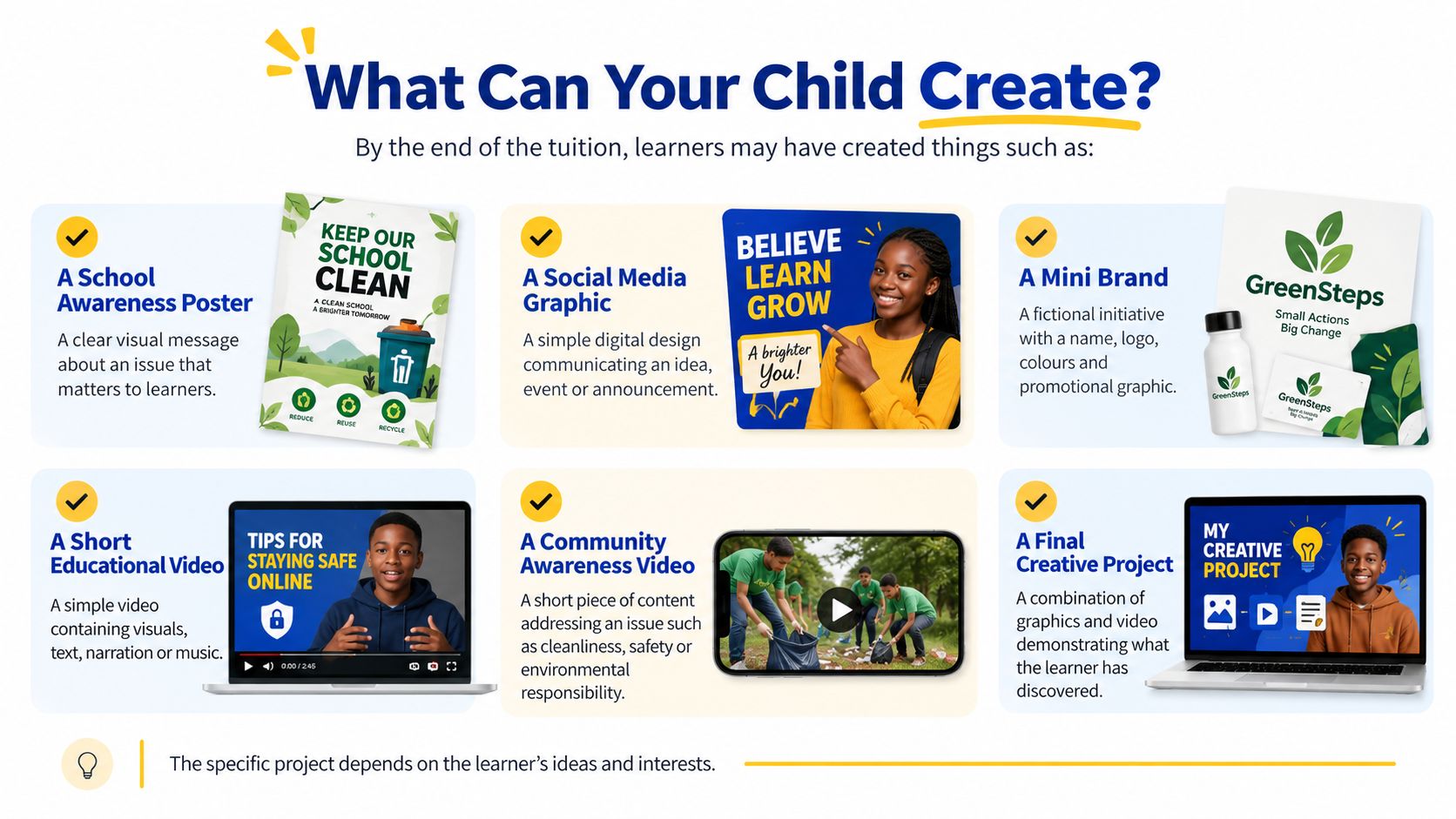
More Than Graphics & Video, Skills for Life
The deeper value of this tuition goes beyond learning where to find a Canva button or how to trim a video.
Creativity & Imagination
Turning ideas into original visual content.
Critical Thinking & Problem Solving
Making decisions about message, audience, design and presentation.
Communication
Learning how to communicate an idea clearly through visual and digital media.
Digital Literacy
Using digital tools purposefully rather than simply consuming digital content.
Self-Efficacy
Building confidence through creating, testing, improving and presenting.
Learning to Learn
Exploring unfamiliar tools and developing the confidence to keep learning independently.
Citizenship
Understanding accuracy, respect, privacy, consent and ethical content use.
Collaboration
Sharing ideas, receiving feedback and working with others.
A Competency-Focused Learning Experience
The tuition gives learners practical opportunities to develop seven key areas of competency.
Communication & Collaboration
Express ideas and respond to feedback.
Critical Thinking & Problem Solving
Plan, create, review and improve digital content.
Creativity & Imagination
Explore different ways of communicating an idea.
Digital Literacy
Use accessible digital tools to create meaningful content.
Self-Efficacy
Build confidence by completing practical tasks.
Learning to Learn
Develop curiosity and the ability to explore new tools.
Citizenship
Create and share digital content responsibly.

Meet Your Trainer
Pro Chris — Chrispinus Mumia Walloga
Your child’s learning is guided by Chrispinus Mumia Walloga (Pro Chris), a Certified Trainer, Technology Mentor, Tech Developer and Digital Strategist with more than 10 years of experience in IT training, academic instruction and digital technology.
He is a NITA-certified Training of Trainers (ToT) and has previously taught Computer Science at Kimilili Boys High School.
His approach focuses on making technology practical, understandable and useful — helping learners move beyond simply knowing about technology to actually using it to create and solve problems.
Online Tuition — With Parents at the Centre
The tuition is primarily delivered online, making it possible for learners to participate from home or another suitable learning environment.
Parents and guardians can remain involved by providing:
- A computer or laptop where required
- Reliable internet access
- A suitable learning environment
- Required learning infrastructure
- Appropriate supervision and guidance where necessary
Responsible Digital Learning
Because learners will be using technology and the internet, parents and guardians are encouraged to establish appropriate:
- Parental controls
- Content restrictions
- Device safety settings
- Online safety practices
- Privacy protections
The aim is to make digital learning productive, creative and responsible.
Prefer One-on-One Attention?
Parents who prefer a more personalised learning experience can enquire about private coaching.
Private coaching is suitable for families looking for more individual attention, personalised guidance or a learning arrangement tailored more closely to the learner.
A special private coaching package applies.
Parents or guardians are responsible for providing the venue and required infrastructure.
ENQUIRE ABOUT PRIVATE COACHINGHoliday Tuition Details
| Detail | Information |
|---|---|
| Tuition | Graphics & Video Creation |
| Learners | Grade 10 & Junior Secondary |
| Experience Level | Beginner-friendly |
| Dates | 14 November – 11 December 2026 |
| Schedule | 4 days per week |
| Session | 1 hour + 10-minute break |
| Total Learning Time | 16 hours |
| Starting Time | 10:30 AM |
| Delivery | Online |
| Registration | FREE |
| Tuition Fee | KSh 1,000 |
| Early Payment Offer | First 20 learners pay KSh 800 |
| Private Option | Available on special package |

Give Your Child a More Meaningful Holiday
Your child does not have to spend the entire holiday simply watching videos, scrolling through social media or consuming digital content.
They can learn to create.
They can discover how an idea becomes a poster. How a message becomes a video. How images, words and sound can communicate something meaningful.
And how technology can become a tool for creativity, confidence and problem solving.
Register your child for the Graphics & Video Creation Tuition.
14 November – 11 December 2026
16 Hours | Online | Beginner-Friendly
KSh 1,000 | First 20 to pay: KSh 800
Register Your Child
Complete the registration form to receive the detailed learning outline and joining information.
Frequently Asked Questions
Yes. The tuition starts with the basics and gradually introduces learners to graphics, video creation and digital content.
No. Previous experience is not required.
No. It is also designed for Junior Secondary learners who are interested in technology, creativity and digital content creation.
No — and that is not the promise.
The 16-hour holiday tuition is an introductory experience designed to build foundational digital creation skills, confidence and curiosity.
Learners will primarily explore accessible tools such as Canva and CapCut, together with smartphone-based content creation.
Online participation requires an appropriate device and internet connection. Parents should provide the required learning infrastructure.
Yes. Parents and guardians are encouraged to remain involved and provide appropriate supervision and online safety measures.
Yes. Registration is FREE.
The tuition fee is KSh 1,000, while the first 20 learners to pay receive the KSh 800 offer.
Yes. Private coaching is available through a special package. Parents or guardians provide the venue and required infrastructure.
The detailed learning outline is provided to parents/guardians after registration.